
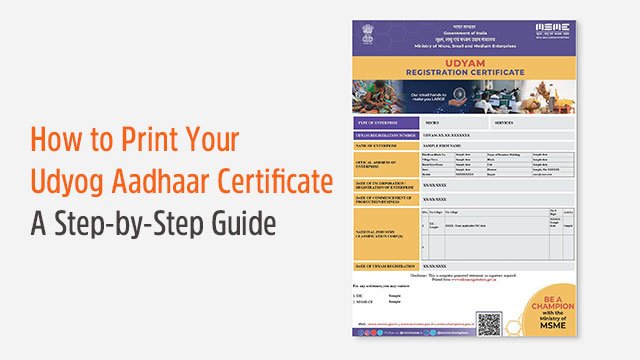
Are you a business owner who has registered under the MSME initiative? If yes, then you might know the importance of the Udyog Aadhaar print process. The certificate acts as official proof for any registered business, and a printed copy provides a solid foundation for your enterprise's day-to-day operations.
What is Udyog Aadhaar?
The Ministry of MSME introduced Udyog Aadhaar as a unique identification number provided to enterprises after registration. To get registered, you provide basic information related to your enterprise — name, address, type, bank details, and more. After registration, you receive a Udyog Aadhaar Memorandum (UAM) number, which is crucial for accessing numerous government benefits.
Importance of Udyog Aadhaar Certificate
1. Ease of Doing Business
With the certificate, you can easily access various financial services like credit and loans from banks, as it serves as proof of your MSME registration status.
2. Business Recognition
The certificate gives your business an official identity, which becomes crucial for activities like participating in government tenders and forming partnerships with larger organizations.
3. Access to Government Schemes
Many government subsidies and schemes require the certificate as proof of registration. Having a printed copy ensures you're always ready for any application or verification process.
4. Tax Benefits
As a Udyog Aadhaar registered business, you are eligible for various tax exemptions and rebates — and the printed certificate helps substantiate your claims with tax authorities.
Steps to Print Your Udyog Aadhaar Certificate
Step 1: Visit the Official Website
Visit the official Udyog Aadhaar or Udyam Registration website, which is accessible on any browser.
Step 2: Navigate to the Print Section
On the homepage, look for the option saying "Print Udyog Aadhaar" or "Print Certificate." This is generally found under the Udyog Aadhaar-related services menu.
Step 3: Enter Your Udyog Aadhaar Number
After selecting the print option, enter your 12-digit Udyog Aadhaar number. Make sure the number is correct, as any error will prevent you from accessing the certificate.
Step 4: Validate Your Identity
Validate your identity using the mobile number registered during the Udyog Aadhaar registration process. You will receive an OTP on that number, which is required to proceed.
Step 5: Download the Certificate
Once identity is verified, you'll be directed to a page where you can view your Udyog Aadhaar certificate. Click "Download" to save the certificate as a PDF file on your device.
Step 6: Print the Certificate
Open the downloaded PDF file, then press "Ctrl + P" or click the print icon. Select your printer, adjust the print settings as needed, and hit "Print" to get your physical copy.
Conclusion
A printed Udyog Aadhaar certificate is essential for smooth business operations and unlocking various government benefits. Follow this process, maintain your documentation, and keep your certificate readily available for tenders, loan applications, and scheme enrollments.